AIChE Journal3.3.1
Publisher Description


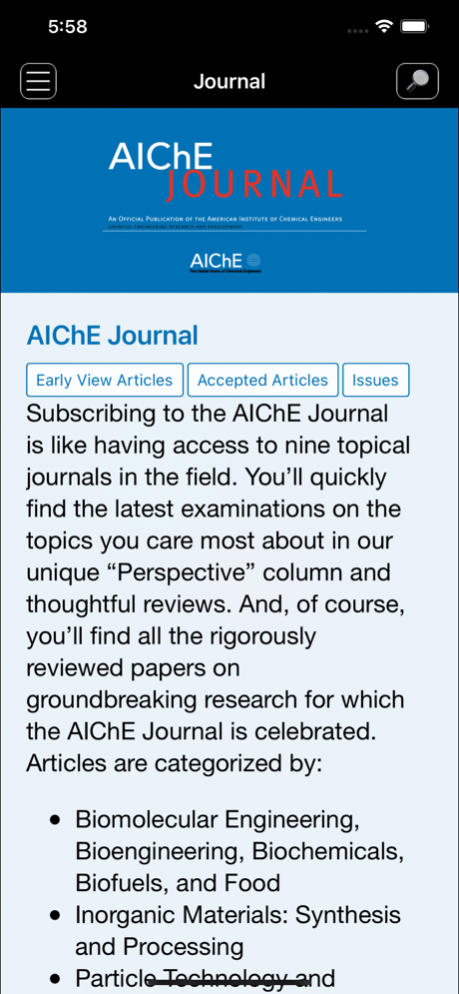

The AIChE Journal is the premier research monthly in chemical engineering and related fields. This peer-reviewed and broad-based journal reports on the most important and latest technological advances in core areas of chemical engineering as well as in other relevant engineering disciplines.To keep abreast with the progressive outlook of the profession, the Journal has been expanding the scope of its editorial contents to include such fast developing areas as biotechnology, electrochemical engineering, and environmental engineering.
The AIChE Journal is indeed the global communications vehicle for the world-renowned researchers to exchange top-notch research findings with one another. Subscribing to the AIChE Journal is like having immediate access to nine topical journals in the field.
Articles are categorized according to the following topical areas:
Biomolecular Engineering, Bioengineering, Biochemicals, Biofuels, and Food
Inorganic Materials: Synthesis and Processing
Particle Technology and Fluidization
Process Systems Engineering
Reaction Engineering, Kinetics and Catalysis
Separations: Materials, Devices and Processes
Soft Materials: Synthesis, Processing and Products
Thermodynamics and Molecular-Scale Phenomena
Transport Phenomena and Fluid Mechanics
An official publication of the American Institute of Chemical Engineers.
Privacy policy URL: http://onlinelibrary.wiley.com/privacyPolicy
Terms of use: http://onlinelibrary.wiley.com/termsAndConditions
Jan 14, 2022 Version 3.3.1
New feature to migrate to the new WOL application.
About AIChE Journal
The company that develops AIChE Journal is Wiley. The latest version released by its developer is 3.3.1.
To install AIChE Journal on your iOS device, just click the green Continue To App button above to start the installation process. The app is listed on our website since 2022-01-14 and was downloaded 11 times. We have already checked if the download link is safe, however for your own protection we recommend that you scan the downloaded app with your antivirus. Your antivirus may detect the AIChE Journal as malware if the download link is broken.
How to install AIChE Journal on your iOS device:
- Click on the Continue To App button on our website. This will redirect you to the App Store.
- Once the AIChE Journal is shown in the iTunes listing of your iOS device, you can start its download and installation. Tap on the GET button to the right of the app to start downloading it.
- If you are not logged-in the iOS appstore app, you'll be prompted for your your Apple ID and/or password.
- After AIChE Journal is downloaded, you'll see an INSTALL button to the right. Tap on it to start the actual installation of the iOS app.
- Once installation is finished you can tap on the OPEN button to start it. Its icon will also be added to your device home screen.
Version History
version 3.3.1
posted on 2022-01-14
Jan 14, 2022 Version 3.3.1
New feature to migrate to the new WOL application.
version 3.3.0
posted on 2017-10-03
Oct 3, 2017 Version 3.3.0
This app has been updated by Apple to use the latest Apple signing certificate.
-Support for multiple journals in a single app and a brand new journal picker page. You can show/hide individual titles so that you always have the titles most relevant to you at your fingertips in the settings page.
-UI completely re-designed to Apple’s Human Interface design standards.
-Our new back file search feature allows you to search all content available as HTML across all the journals in the app. You can select which titles you want to search on the search page and then apply facets to the results to browse to a list of articles you want to read. Facets include: First Online, Author, Keywords and Article Type. If you don’t have a Wi-Fi or 3G/4G connection you can still search all of the downloaded or cached content on your device in the offline mode.
-Support for the MathJax rendering library.
-Support for Virtual Issues.
-Support for Accepted Articles—this content may be available as PDF only, tap the PDF button on the article page to download the article.
-Support for journals published using the Continuous Publishing model.
-As always, we’ve squashed every bug we could find.
version 3.3.0
posted on 2017-10-03
3 Oct 2017 Version 3.3.0
-Support for multiple journals in a single app and a brand new journal picker page. You can show/hide individual titles so that you always have the titles most relevant to you at your fingertips in the settings page.
-UI completely re-designed to Apple’s Human Interface design standards.
-Our new back file search feature allows you to search all content available as HTML across all the journals in the app. You can select which titles you want to search on the search page and then apply facets to the results to browse to a list of articles you want to read. Facets include: First Online, Author, Keywords and Article Type. If you don’t have a Wi-Fi or 3G/4G connection you can still search all of the downloaded or cached content on your device in the offline mode.
-Support for the MathJax rendering library.
-Support for Virtual Issues.
-Support for Accepted Articles—this content may be available as PDF only, tap the PDF button on the article page to download the article.
-Support for journals published using the Continuous Publishing model.
-As always, we’ve squashed every bug we could find.
version 3.3.0
posted on 2017-10-03
Oct 3, 2017 Version 3.3.0
-Support for multiple journals in a single app and a brand new journal picker page. You can show/hide individual titles so that you always have the titles most relevant to you at your fingertips in the settings page.
-UI completely re-designed to Apple’s Human Interface design standards.
-Our new back file search feature allows you to search all content available as HTML across all the journals in the app. You can select which titles you want to search on the search page and then apply facets to the results to browse to a list of articles you want to read. Facets include: First Online, Author, Keywords and Article Type. If you don’t have a Wi-Fi or 3G/4G connection you can still search all of the downloaded or cached content on your device in the offline mode.
-Support for the MathJax rendering library.
-Support for Virtual Issues.
-Support for Accepted Articles—this content may be available as PDF only, tap the PDF button on the article page to download the article.
-Support for journals published using the Continuous Publishing model.
-As always, we’ve squashed every bug we could find.
version 3.3.0
posted on 2017-10-03
Oct 3, 2017 Version 3.3.0
This app has been updated by Apple to display the Apple Watch app icon.
-Support for multiple journals in a single app and a brand new journal picker page. You can show/hide individual titles so that you always have the titles most relevant to you at your fingertips in the settings page.
-UI completely re-designed to Apple’s Human Interface design standards.
-Our new back file search feature allows you to search all content available as HTML across all the journals in the app. You can select which titles you want to search on the search page and then apply facets to the results to browse to a list of articles you want to read. Facets include: First Online, Author, Keywords and Article Type. If you don’t have a Wi-Fi or 3G/4G connection you can still search all of the downloaded or cached content on your device in the offline mode.
-Support for the MathJax rendering library.
-Support for Virtual Issues.
-Support for Accepted Articles—this content may be available as PDF only, tap the PDF button on the article page to download the article.
-Support for journals published using the Continuous Publishing model.
-As always, we’ve squashed every bug we could find.
version 3.0.2132
posted on 2014-02-26
version 3.3.0
posted on 1970-01-01
2017年10月3日 Version 3.3.0
-Support for multiple journals in a single app and a brand new journal picker page. You can show/hide individual titles so that you always have the titles most relevant to you at your fingertips in the settings page.
-UI completely re-designed to Apple’s Human Interface design standards.
-Our new back file search feature allows you to search all content available as HTML across all the journals in the app. You can select which titles you want to search on the search page and then apply facets to the results to browse to a list of articles you want to read. Facets include: First Online, Author, Keywords and Article Type. If you don’t have a Wi-Fi or 3G/4G connection you can still search all of the downloaded or cached content on your device in the offline mode.
-Support for the MathJax rendering library.
-Support for Virtual Issues.
-Support for Accepted Articles—this content may be available as PDF only, tap the PDF button on the article page to download the article.
-Support for journals published using the Continuous Publishing model.
-As always, we’ve squashed every bug we could find.
